Samples & Demos
LlamaFarm includes pre-built sample projects and guided demos to help you get started quickly and learn how different features work together.
Sample Projects
The Samples page shows a gallery of ready-made projects you can import.
Available Samples
Each sample card shows:
- Title and description — what the project does
- Primary model — which LLM it's configured for
- Tags — categorization (maintenance, fleet, ops, etc.)
- Download size — how much data to fetch
- Dataset count — number of included datasets
Importing a Sample
Click a sample card to preview it, then choose:
- Import as project — creates a new project with the sample's full configuration, prompts, and strategies. You can customize the name and description.
- Import data only — imports just the datasets into an existing project. Choose whether to create a new dataset or add to an existing one, and whether to include processing strategies.
Example Projects
| Project | Description | Model |
|---|---|---|
| Aircraft Maintenance Assistant | Fault diagnosis from offline manuals and flight logs | TinyLlama |
| (and more) | Browse the full gallery in the Designer | Various |
Guided Demos
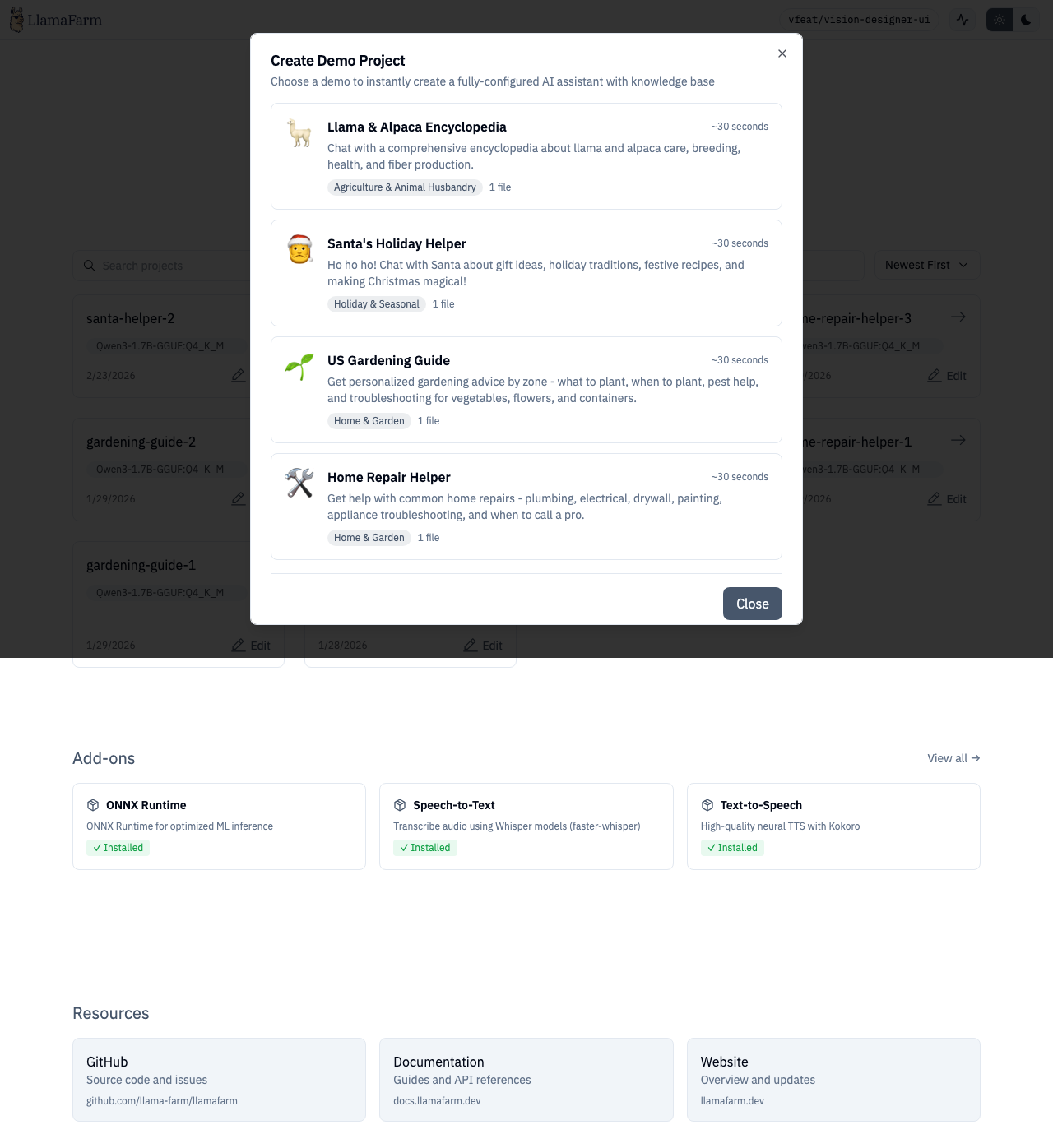
Demos are interactive walkthroughs that create a working project step-by-step, showing you the API calls happening in real-time.
How Demos Work
- Click "Try a demo" (available from the home page)
- Select a demo from the gallery — each shows description, category, estimated time, and file count
- Watch as the demo:
- Creates a project
- Uploads sample files
- Configures processing strategies
- Processes data
- Shows each API call with expandable request/response details
- When complete, you have a fully working project to explore
Available Demos
Demos are organized by category and matched to project types. Each demo includes:
- Pre-configured
llamafarm.yaml - Sample data files
- Sample questions to try after setup
Demos can also link directly to model training pages (classifier, anomaly) with sample data pre-loaded.
Route
/samples