Data Management
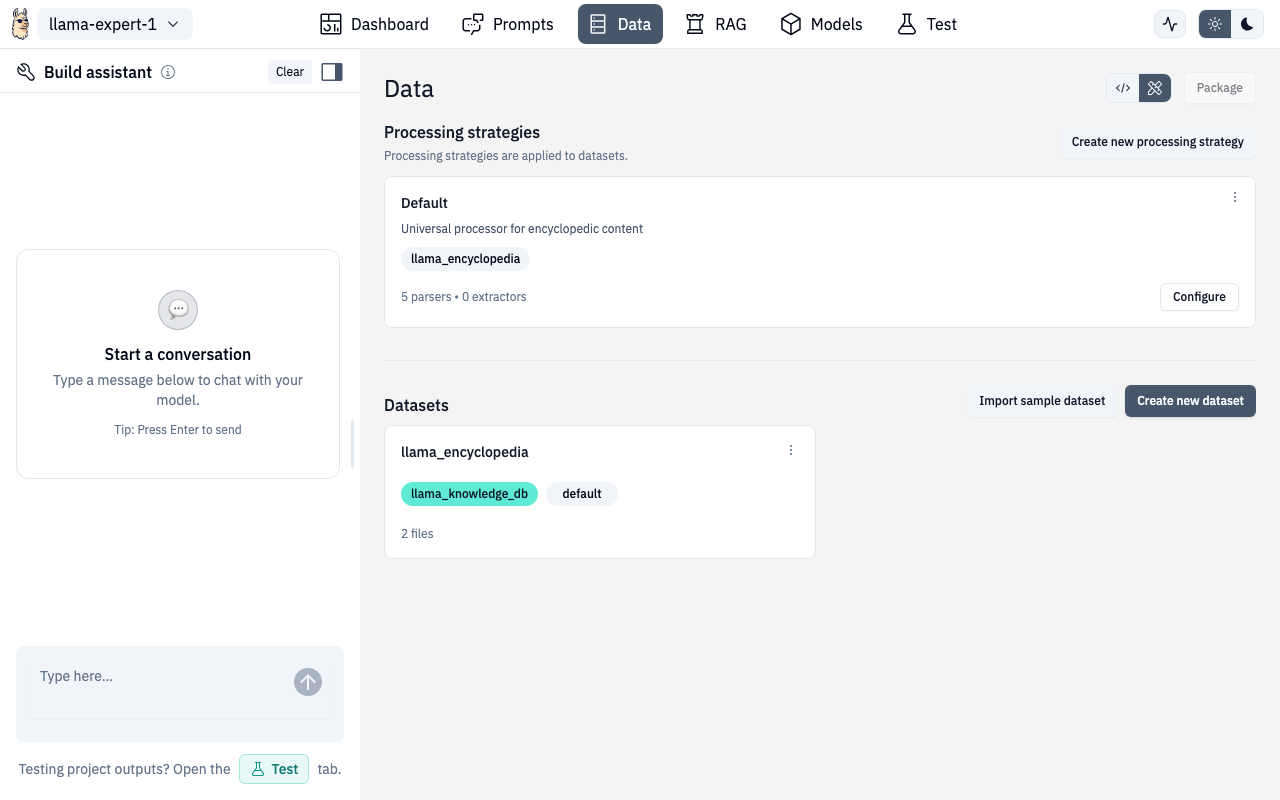
The Data section is where you manage datasets, configure processing strategies, and preview how your documents will be chunked and embedded.
Processing Strategies
Processing strategies define how uploaded files are parsed, chunked, and embedded. Each strategy includes:
- Parsers — how to extract text from different file types (PDF, DOCX, TXT, CSV, Markdown)
- Extractors — additional extraction settings (metadata, patterns, custom schemas)
- Chunking — how to split documents into pieces (by characters, sentences, or paragraphs)
- Embedding — which model creates vector embeddings
- Storage — which vector database stores the results
Managing Strategies
- View existing strategies — see all configured strategies as cards
- Create new — define a strategy from scratch
- Copy — duplicate an existing strategy as a starting point
- Edit — click any strategy card to modify its configuration
Extractor & Parser Settings
The extractor settings form lets you configure:
- Extraction patterns with a visual pattern editor
- Custom extraction schemas
- Metadata extraction rules
Parser settings control file-type-specific behavior like PDF table extraction, CSV delimiter handling, and markdown header parsing.
Datasets
Below the strategies, you'll find your datasets:
- Create dataset — name it, select a processing strategy and database
- Upload files — drag and drop or click to browse
- Process — kick off ingestion after uploading
- View details — click a dataset to see files, metadata, and processing status
- Delete — remove a dataset via the dropdown menu
Supported File Types
| Format | Extensions |
|---|---|
.pdf | |
| Word | .docx |
| Text | .txt |
| CSV | .csv |
| Markdown | .md, .markdown |
Document Preview
After processing, you can preview how any document was chunked using the Document Preview modal.
The preview shows two side-by-side panels:
- Original Document — the source file as-is
- Processed Chunks — how the document was split, with chunk boundaries highlighted
You can:
- Switch between different processing strategies to compare results
- Click individual chunks to see their content and metadata
- Verify that chunking boundaries make sense for your use case
API Routes
| Action | Method | Route |
|---|---|---|
| List datasets | GET | /v1/projects/{ns}/{project}/datasets |
| Create dataset | POST | /v1/projects/{ns}/{project}/datasets |
| Upload files | POST | /v1/projects/{ns}/{project}/datasets/{dataset}/data |
| Process dataset | POST | /v1/projects/{ns}/{project}/datasets/{dataset}/actions |
| Preview document | POST | /v1/projects/{ns}/{project}/rag/databases/{database_name}/preview |
Route
/chat/data
/chat/data/:datasetId