Models
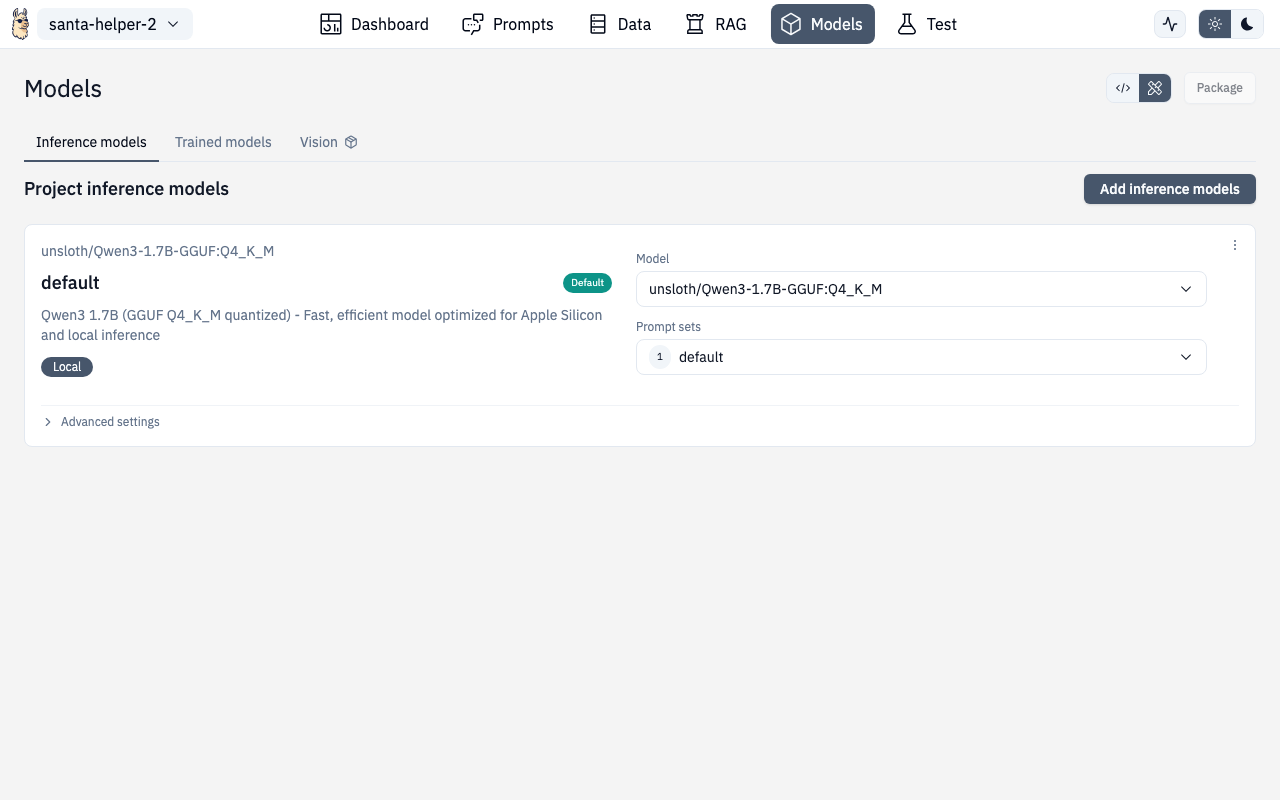
The Models section lets you configure which AI models your project uses for inference, manage locally downloaded models, and connect to cloud providers.
Runtime Providers
Select your runtime provider:
| Provider | Description |
|---|---|
| Ollama | Local models on your machine (default) |
| OpenAI | GPT models via API key |
| OpenAI-compatible | Custom endpoints (vLLM, LM Studio, etc.) |
Cloud Models
For cloud providers (OpenAI, compatible endpoints), configure:
- API key — your provider credentials
- Base URL — custom endpoint URL (for compatible providers)
- Model selection — choose from available models
Model Parameters
Fine-tune model behavior:
| Parameter | What it does |
|---|---|
| Temperature | Randomness (0.0 = deterministic, 1.0+ = creative) |
| Max Tokens | Maximum response length |
| Top P | Nucleus sampling threshold |
| Frequency Penalty | Discourage repetition |
| Presence Penalty | Encourage topic diversity |
Device Models (Local)
The Device Models section manages models downloaded to your local machine.
Features
- Browse downloaded models — see all models on disk with size and metadata
- Search and filter — find models by name
- Use a model — one-click to set as the active model for your project
- Delete models — remove from disk to free space
- Disk space monitoring — warnings when disk space is low, errors when insufficient
Downloading Models
Click "Add models" to browse and download new models. The download dialog shows:
- Model name and description
- File size and quantization level
- Download progress
- Custom download option for models from Hugging Face or other sources
Disk Space Dialogs
- Warning — shown when disk space is getting low (you can proceed)
- Error — shown when there's not enough space to download (must free space first)
Prompt Set Selector
From the Models page, you can also select which prompt set to use with the configured model. This links to the Prompts configuration.
Adding Inference Models
The Add Inference Models page (/chat/models/add) lets you:
- Browse available models from your provider
- Pull/download models
- Configure custom model endpoints
- Test model connections before saving
Route
/chat/models
/chat/models/add