Chat & Testing
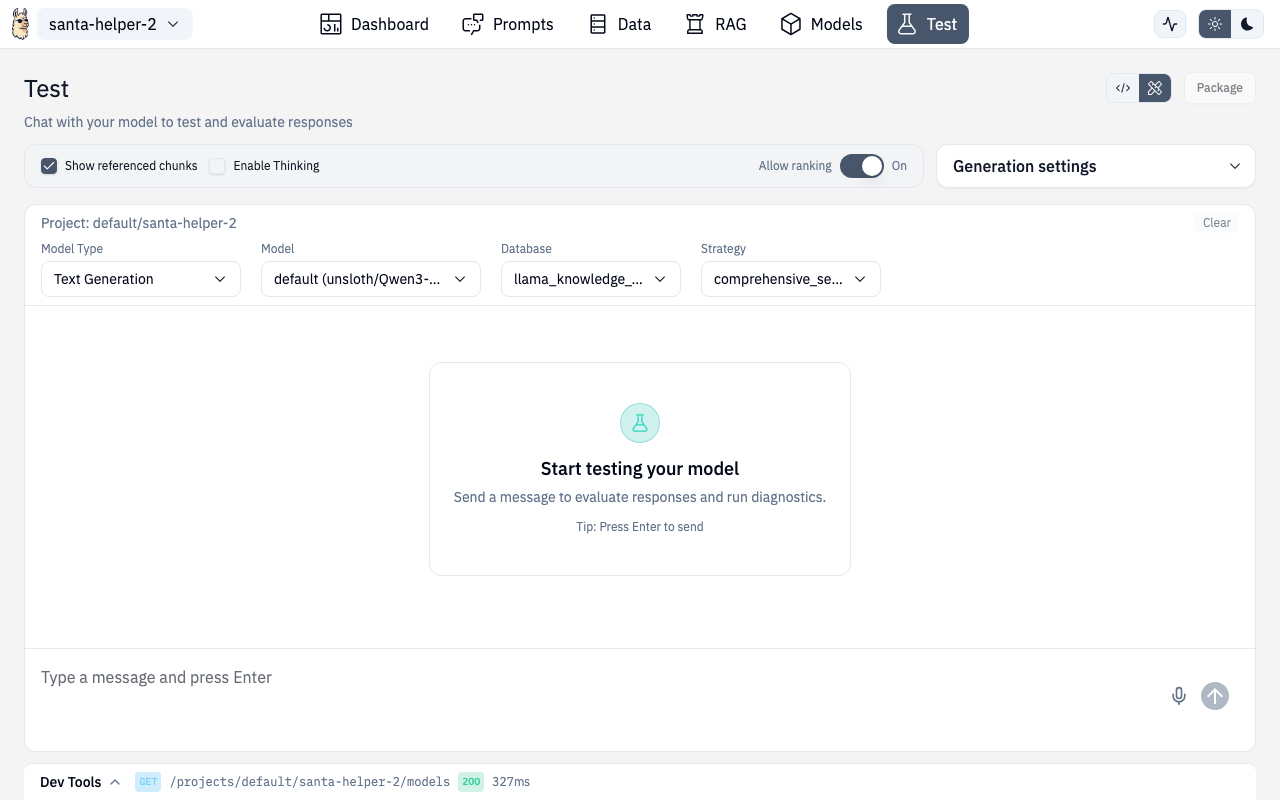
The Test page is the Designer's multi-purpose testing interface. It supports several model types and includes a built-in DevTools panel for debugging.
Model Types
The Test page supports switching between different model types via a selector:
| Mode | What it tests |
|---|---|
| Inference | Standard chat with your configured LLM + optional RAG |
| Anomaly | Score inputs against trained anomaly detection models |
| Classifier | Classify text using trained classifier models |
| Document Scanning | OCR and document analysis |
| Encoder | Test embedding models and reranking |
| Speech | Voice interaction (see Speech) |
Chat (Inference Mode)
The primary chat interface for testing your AI project:
- Streaming responses — see tokens appear in real-time
- RAG toggle — enable/disable document retrieval
- Source references — see which documents were retrieved and their relevance scores
- Markdown rendering — responses render with full markdown support (tables, code blocks, etc.)
- Voice input — click the mic button to speak instead of type
- Show prompts — toggle to see the full prompt sent to the model
- Show thinking — toggle to see chain-of-thought reasoning (if supported)
Session Management
- Chat history persists between visits
- Clear chat to start fresh
- Sessions are per-project
DevTools Panel
The DevTools drawer shows the raw API requests and responses for every interaction — invaluable for debugging and for building integrations.
Request Tab
See the exact HTTP request sent to the server:
- Method, URL, headers
- Request body (JSON)
- Timestamp and duration
Response Tab
See the full server response:
- Status code
- Response body
- Token usage (if available)
Code Snippets
The DevTools automatically generate code snippets for replicating the request in:
- cURL
- Python (requests)
- JavaScript (fetch)
- And more
Copy and paste these into your application to replicate exactly what the Designer did.
WebSocket Monitoring
For streaming responses, DevTools also tracks WebSocket connections with message-by-message logging.
Usage
- The DevTools panel appears as a collapsed bar at the bottom of the Test page
- Click to expand into a full panel
- Click outside or press Escape to collapse
- Clear history to reset captured requests
Document Scanning Mode
Test OCR and document analysis:
- Select a scanning backend
- Choose language
- Upload or paste document images
- View extracted text and structure
Encoder Mode
Test embedding and reranking models:
- Embeddings — enter text and see the vector output, test with common embedding models
- Reranking — provide a query and documents, see reranked results with scores
Sample inputs are provided for both to get started quickly.
API Routes
| Action | Method | Route |
|---|---|---|
| Chat completion | POST | /v1/projects/{ns}/{project}/chat/completions |
| Chat (streaming) | POST | /v1/projects/{ns}/{project}/chat/completions (SSE) |
| Extract document | POST | /v1/vision/documents/extract |
| Create embeddings | POST | /v1/nlp/embeddings |
| Rerank documents | POST | /v1/nlp/rerank |
Route
/chat/test