Addons
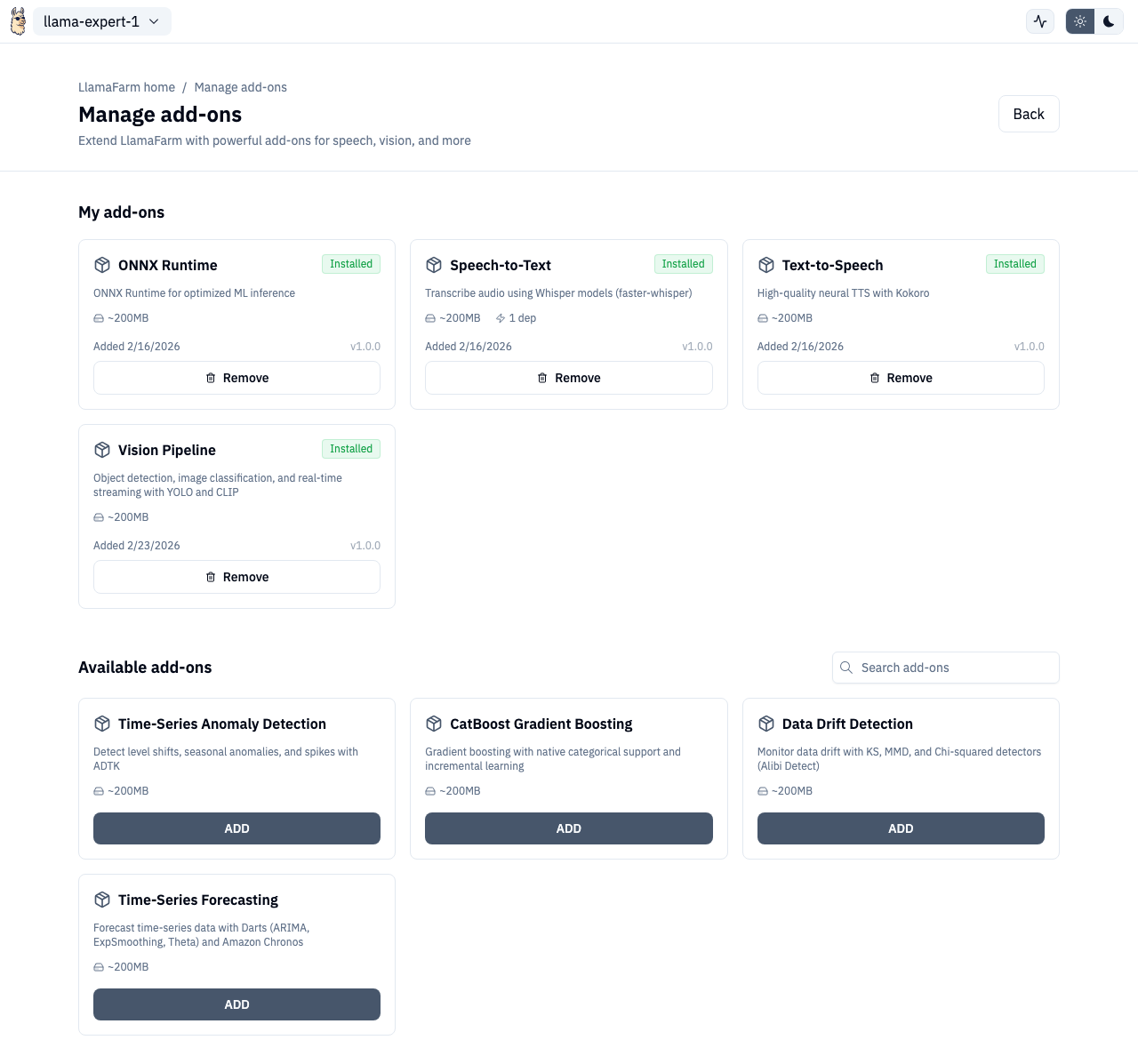
Addons extend LlamaFarm with additional ML capabilities. The Addons page lets you browse, install, and manage them.
Overview
Addons are optional packages that add features like speech-to-text, text-to-speech, vision models, and more. They're managed separately because they can be large downloads and not every project needs them.
Browsing Addons
The Addons page shows two sections:
- Installed — addons currently on your system, with uninstall option
- Available — addons you can install
Use the search bar to filter by name or description.
Installing Addons
- Click an available addon to open the install side pane
- Review the addon details (description, size, dependencies)
- Click Install
- Watch the installation progress with real-time status updates
Install Progress
The install progress component shows:
- Current step (downloading, extracting, configuring)
- Progress percentage
- Estimated time remaining
- Option to minimize to a floating indicator while you continue working
Dependency Handling
Some addons depend on others. When uninstalling an addon that other addons depend on, you'll see a warning listing the affected addons.
API Routes
| Action | Method | Route |
|---|---|---|
| List addons | GET | /v1/addons |
| Install addon | POST | /v1/addons/install |
| Uninstall addon | POST | /v1/addons/uninstall |
| Task status | GET | /v1/addons/tasks/{task_id} |
Route
/addons